Download Minecraft 26.32 APK for Android free and install the stable Minecraft 1.26.32 hotfix with smoother FPS, fewer crashes, and safer loading for old worlds. This build does not add new content, but it fixes important problems from the 26.30 release line.
Minecraft 26.32 is made for players who want a more stable version on Android. If Minecraft 26.30 or 26.31 was crashing, freezing, or suddenly running at 30 FPS, this update is worth installing.
Minecraft 26.32 APK for Android
Minecraft 26.32 APK is a stable Bedrock hotfix focused on performance and bug fixes. It keeps the same Chaos Cubed content from the previous release, but removes issues that could affect gameplay on phones and tablets.
The main reason to download Minecraft 1.26.32 APK is simple: this version is safer and smoother than the earlier 26.30 build. It fixes the FPS lock, several crashes, Book and Quill freezes, custom audio problems, and a few add-on related bugs.
| Version |
Minecraft 26.32 |
| Full name |
Minecraft 1.26.32 |
| Release type |
Stable hotfix |
| Edition |
Bedrock Edition |
| Platform |
Android |
| File type |
APK |
| Recommended space |
About 1 GB free |
| Android version |
Android 8 or newer |
What is fixed in Minecraft 26.32?
Minecraft Bedrock 26.32 does not introduce new blocks, mobs, or biomes. Mojang released this version to fix problems found after the previous stable build.
- Fixed several gameplay crashes.
- Fixed the issue that could lock the game at 30 FPS.
- Fixed a freeze caused by Book and Quill items from older worlds.
- Fixed custom streamed audio with resource pack subpacks.
- Fixed a visual issue with custom block faces.
- Fixed singleplayer access for some multiplayer-restricted skins.
Minecraft 26.32 is a fixes-only APK. If you want new features, this is not a content update. If you want better stability, this is the right version to install.
Why download Minecraft 26.32 APK?
The biggest reason is the 30 FPS fix. Some players noticed that Minecraft could suddenly feel slower after updating to the 26.30 line. Movement, camera rotation, combat, and building all become less comfortable when the game is locked to a lower framerate.
Minecraft 26.32 fixes that issue, so affected Android devices should feel smoother again. This is especially important for players who use mobile controls, because even small FPS drops are easier to notice on a touchscreen.
Another important fix is related to crashes. Minecraft 1.26.32 removes several gameplay crashes that could interrupt survival, multiplayer sessions, add-on testing, or world loading. The update is not exciting in terms of new content, but it is useful for everyday play.
Better stability for old worlds
Minecraft 26.32 is also important for players with older saves. A Book and Quill from a pre-26.30 world could freeze the game. This was a serious issue because it could make some worlds uncomfortable or risky to open.
After installing Minecraft 26.32 APK, old worlds with written books should load more safely. This makes the hotfix useful not only for new players, but also for users who keep long-term survival maps, roleplay worlds, servers, or custom maps.
Fixes for add-ons and resource packs
The update also improves custom content support. Custom streamed audio now works when the same resource pack includes subpacks. This matters for add-ons with custom sounds, music, ambience, or map audio.
Minecraft 1.26.32 also fixes a rendering issue where custom blocks could show an unwanted solid face through textures. For normal players, this means fewer visual bugs. For creators, it means add-ons and maps should behave more predictably.
Skins in singleplayer worlds
Another useful fix affects skins. Some multiplayer-restricted skins could block access even when the world had multiplayer disabled. Minecraft 26.32 fixes this behavior, so players can enter singleplayer worlds without being stopped by that restriction.
This is a small change, but it removes an annoying problem for users who play offline, test worlds alone, or use singleplayer maps on Android.
Which Minecraft 26.32 APK should you choose?
Most players should download the standard Minecraft 26.32 APK. It is the best option if you simply want to update the game and keep playing normally.
| APK option |
Who should use it |
| Standard APK |
Best choice for most Android players |
| APK with music |
For players who want the full music package |
| Clone APK |
For users who want to keep another Minecraft version installed separately |
| Previous version |
For players who do not want to update yet |
How to install Minecraft 26.32 APK
Before installing Minecraft 26.32 APK, make sure your device has enough free space. It is better to keep about 1 GB available because Android needs space for the APK file, game data, worlds, resource packs, and future updates.
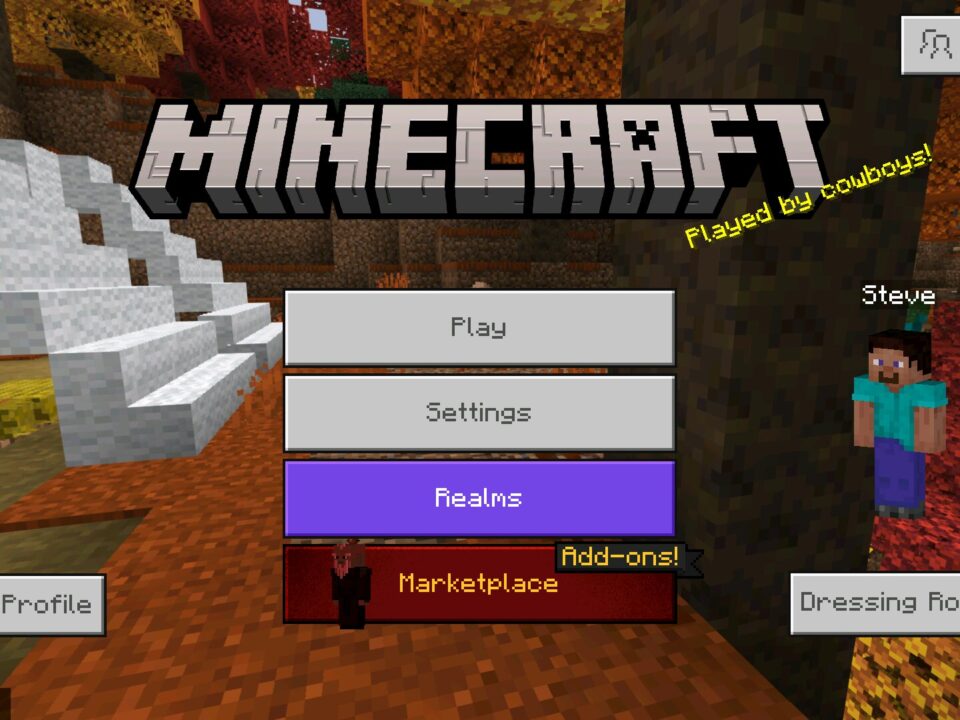
To install the file, download the APK, open it through your browser or file manager, and allow installation from unknown sources if Android asks for permission. After installation, open the game and check the version number on the main screen.
If you already have Minecraft installed, the APK may update the existing app. If Android blocks the installation, the most common reasons are a damaged file, not enough storage, unsupported Android version, or a conflict with another installed build.
How to update without losing worlds
If you are updating from Minecraft 26.30 or 26.31, make a backup of important worlds first. A normal update should not delete saves, but backups are always safer when replacing APK files manually.
Do not clear app data before installing unless you understand what it does. Clearing app data can remove local worlds, settings, and resource packs from the device. If you only want to update Minecraft to 26.32, install the APK over the current version when possible.
How to check that the APK is safe
Before installing any Minecraft 26.32 APK, check that the package name is com.mojang.minecraftpe. This is the normal package name for Minecraft Bedrock on Android.
Also make sure the APK does not ask for strange permissions. A Minecraft APK should not need access to calls, SMS, or unrelated private data. If the installer looks suspicious, the file name is strange, or the size does not match the expected version, do not install it.
Minecraft 26.32 APK is mainly useful because it fixes real gameplay problems: 30 FPS lock, crashes, old Book and Quill freezes, custom audio bugs, and skin restrictions in singleplayer.
Should you install Minecraft 26.32?
Yes, Minecraft 26.32 is worth installing if you are already using the 26.30 release line. It does not change the main gameplay, so it is a low-risk update for players who want better stability.
This version is especially useful if your game was stuck at 30 FPS, crashed during gameplay, froze when opening old worlds, or had problems with custom content. If Minecraft already works perfectly for you, the update is still useful because it gives you the latest stable hotfix.
You can also browse the full branch here: minecraft 1.26 apk download.
FAQ
Is Minecraft 26.32 the same as Minecraft 1.26.32?
Yes. Minecraft 26.32 and Minecraft 1.26.32 refer to the same Bedrock version line. Players use both names when searching for the Android APK.
What is new in Minecraft 26.32 APK?
Minecraft 26.32 APK does not add new content. It fixes crashes, the 30 FPS lock, Book and Quill freezes, custom audio issues, custom block rendering bugs, and skin access in singleplayer.
Does Minecraft 26.32 APK fix the 30 FPS problem?
Yes. One of the main fixes in Minecraft 26.32 is the bug that could drop or lock the game at 30 FPS.
Can I update from Minecraft 26.31 to Minecraft 26.32?
Yes. You can update from Minecraft 26.31 to Minecraft 26.32. It is still recommended to back up important worlds before installing any APK manually.
Can I install Minecraft 26.32 APK on Android 8?
Yes. Minecraft 26.32 APK works on Android 8 and newer devices. You should also keep about 1 GB of free space before installation.
Will Minecraft 26.32 delete my worlds?
A normal update should not delete your worlds. However, it is better to back up important saves before installing or replacing an APK file.
Why is Minecraft 26.32 better than 26.30?
Minecraft 26.32 is better for most players because it keeps the same main content but fixes important stability issues from the 26.30 release line.
What should I do if Minecraft 26.32 APK is not installed?
Check your Android version, free storage, file integrity, and installation permissions. If another Minecraft build conflicts with the APK, remove the conflicting version only after backing up your worlds.
Is Minecraft 26.32 a beta version?
No. Minecraft 26.32 is a stable hotfix release, not a beta or preview build.
Source: Minecraft Bedrock Edition 26.32 Hotfix Changelog





honestly just here for the 30fps fix and it works, runs smooth again on my phone. the multiplayer skin thing was annoying too, could finally load my single player world. no new content but worth it